SAMPLEKINGS
Join $60 — Limited Time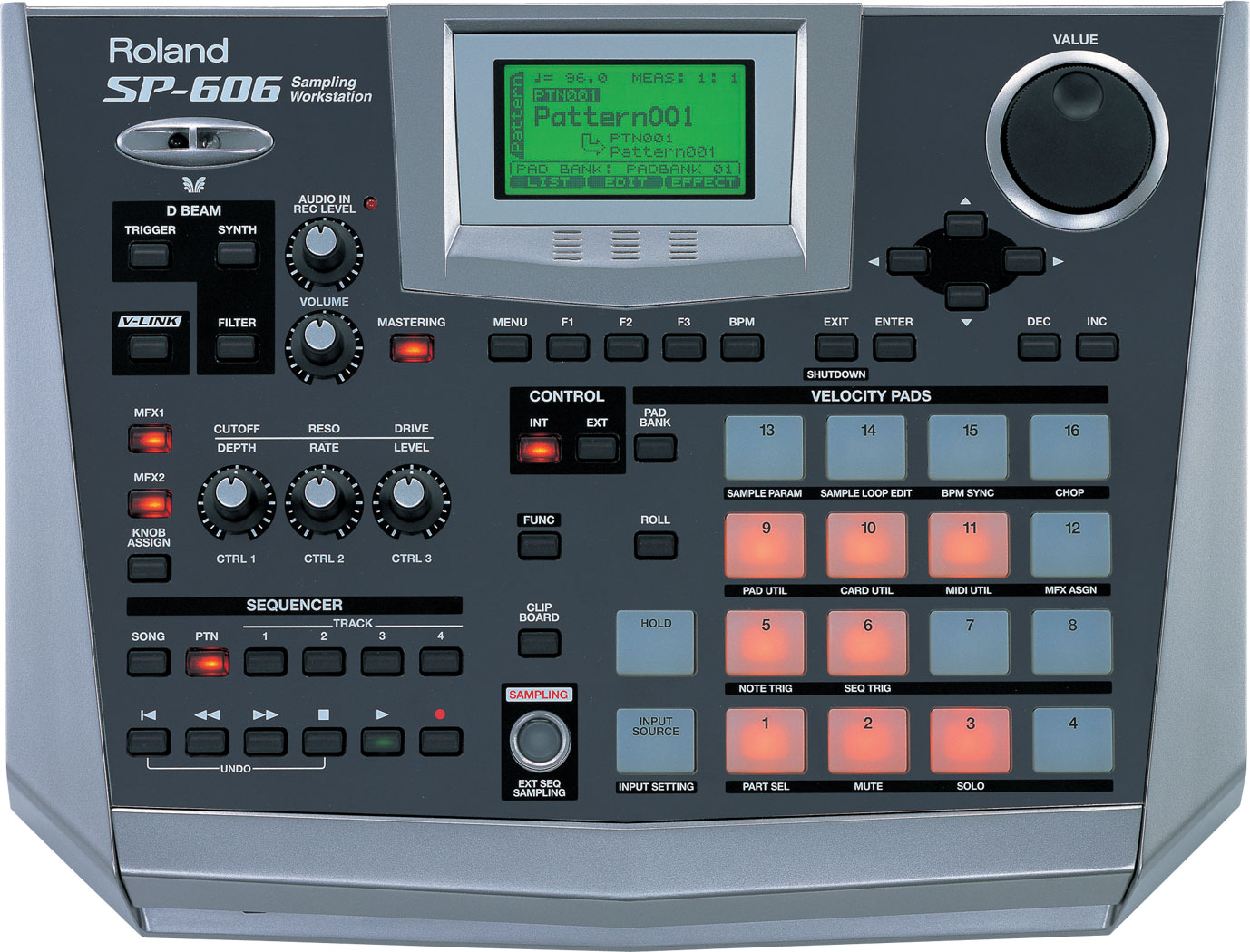
About The SP 606
The Roland SP606 is the last in the series like the 202, 303,404, and 505 but there are some great improvements. First we turn the SP606 around and checkout the back, and see what cables we need to set it up. So get your USB , MIDI, and 1/4 inch audio ready and if you need to keep it low get those headphones out. Next we look at the front, we checkout the D-Beam that's on other Roland machines , like the fantom, it sends a beam of light and when your hand passes over it you can trigger any sound you select. In we explain how each button works and explain how the software works with the buttons this will make it easier for you to understand and use the SP606. Next we make up a beat to show you how easy it is to program a sequence, we use the sounds and built-in loops, to create, and copy, the pattern. When ever you make up a pattern you might want to edit some parts out so we go thru the process to do the edit. Then we go right to sampling we pull out a sample kings CD and sample a beat to edit and loop.
We can sample a vocal or guitar and add effects to the sample as you record, this is so cool to use on records, you can change the sound of the sample, as you sample it. Next we turn a regular sample into a phrase sample. We use this technique to change the speed of the sample and not lose the pitch or tuning, this an important feature that will help you to use vocals from records and just change the speed of the vocal to match the beats speed or tempo or BPM. Now we chop a sample up and the SP606 will put the chopped pieces on individual pads, We sample edit and explain, just what to do so you get it right. We cover every aspect of using the Roland SP 606 including all it's features:
• All-in-one sampling workstation/audio and MIDI interface • Bundled with new P606 software from Cakewalk for enhanced integration and functionality with a PC, via USB cable • Enhanced effects, including Isolator, Filter + Drive, Slicer, Reverb, Tape Echo, and onboard mastering tools • S/PDIF I/O for high-quality recording and track making with digital equipment • CompactFlash slot for storing audio samples, import/export of WAV/AIF files • 4x4 velocity sensitive pads for rhythm programming and phrase manipulation • USB connection allows MIDI data/Bulk Dump and audio transfer • 4-track sequencer with up to 18,000-note capacity, MIDI sequencing, and BPM sync for audio-phrase time stretching