 SampleKingsSK Recording Studios
SAMPLEKINGS
Join $120 — Limited Time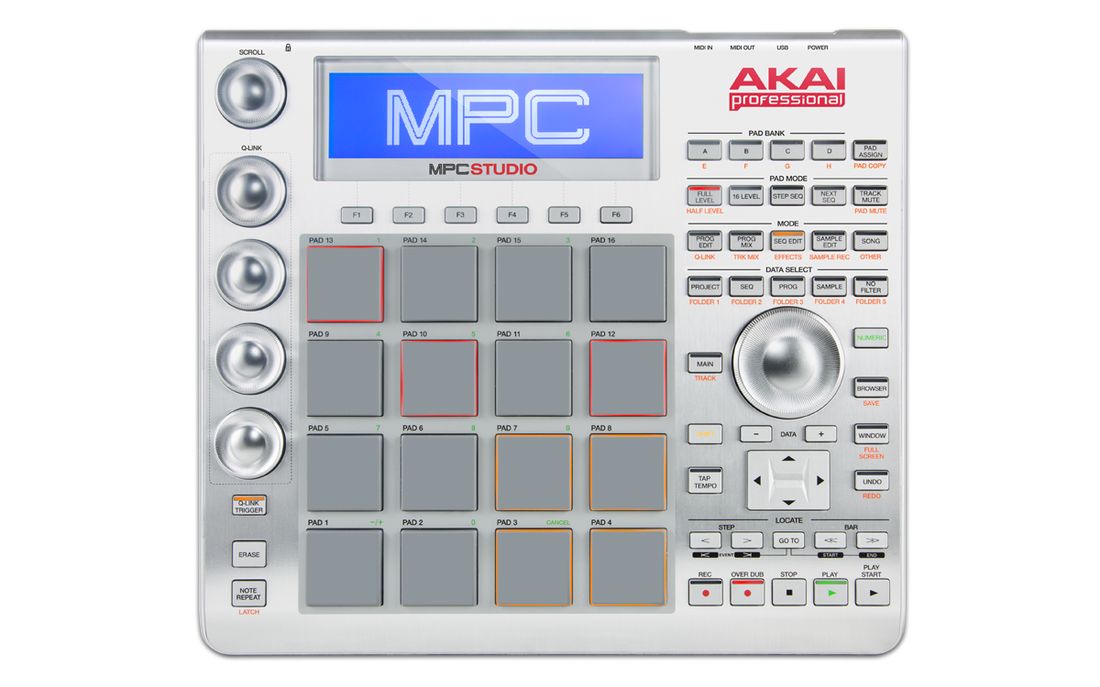
MPC STUDIO
The classic MPC in controller form — 128-track sequencing, VST plug-in integration, 3GB+ sound library, and full OS 2.3 coverage.
About The MPC STUDIO
The AKAI MPC STUDIO is a fully integrated hardware/software system running OS 2.3 that lets you construct and create songs using classic MPC hardware controls and LCD display — the same controls that made the MPC a known name in music production — while incorporating an intuitive software program for sequencing on your computer. Along with legendary controls and solid MPC pads, the MPC STUDIO features 128-track sequencing, instant mapping and real-time adjustment of VST plug-ins, and a 3GB+ sound library.
In this instructional series we cover every feature — how to set up your computer, load samples, create a beat, sequence patterns, use it as a plugin and much more. Just follow along with our step-by-step lesson plan and you can't go wrong. Remember — we're the Sample Kings, we do it right.