 SampleKingsSK Recording Studios
SAMPLEKINGS
Join $120 — Limited Time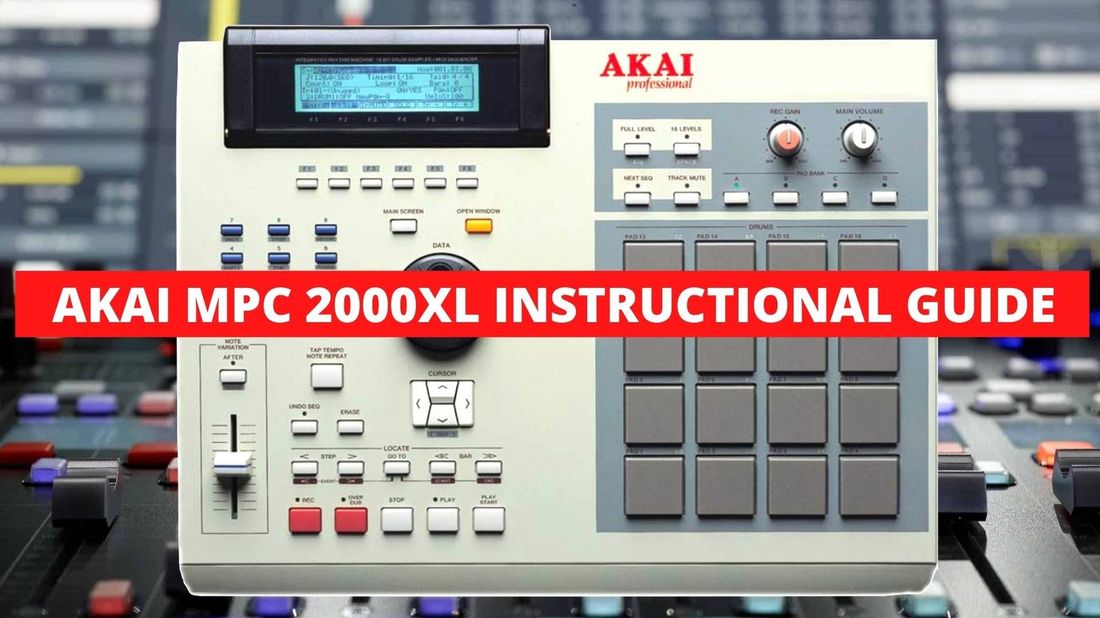
MPC 2000XL
The upgraded MPC2000 — time stretching, SMPTE sync, MIDI sequencing with live keyboard recording, and next-level beat production.
About The MPC2000XL
The MPC2000XL starts off with us making a beat using samples we set up on the MPC2000XL — we take a beat sample, loop it, and show you how it's done. Then we add the other samples to the loop: kick drum, snare, hi hats, vocals, bassline and more. This is a great way to understand how the sequencing feature works and how the buttons and knobs work in conjunction. Next we cover all the features — the back and how to hook up the cables, then the front explaining all the buttons and knobs. The next part explains sampling — we sample a beat, set input levels, chop it into a program, reverse it, speed it up, time stretch it to fit any tempo, and place it in a sequence.
The MPC2000XL Next Level section takes over where Part 1 ends. We start with syncing to SMPTE time code. Then we get deep into recording MIDI sequences with a keyboard — quantizing your MIDI data to the right value, using timing correction, and how to record MIDI parts with live keyboard player Dave and play them back exactly as played. Doc shows how to produce tracks and drum rhythms using patterns like today's top producers — you'll learn what it takes to make professional sounding music on the MPC2000XL.