 SampleKingsSK Recording Studios
SAMPLEKINGS
All-Access $156.87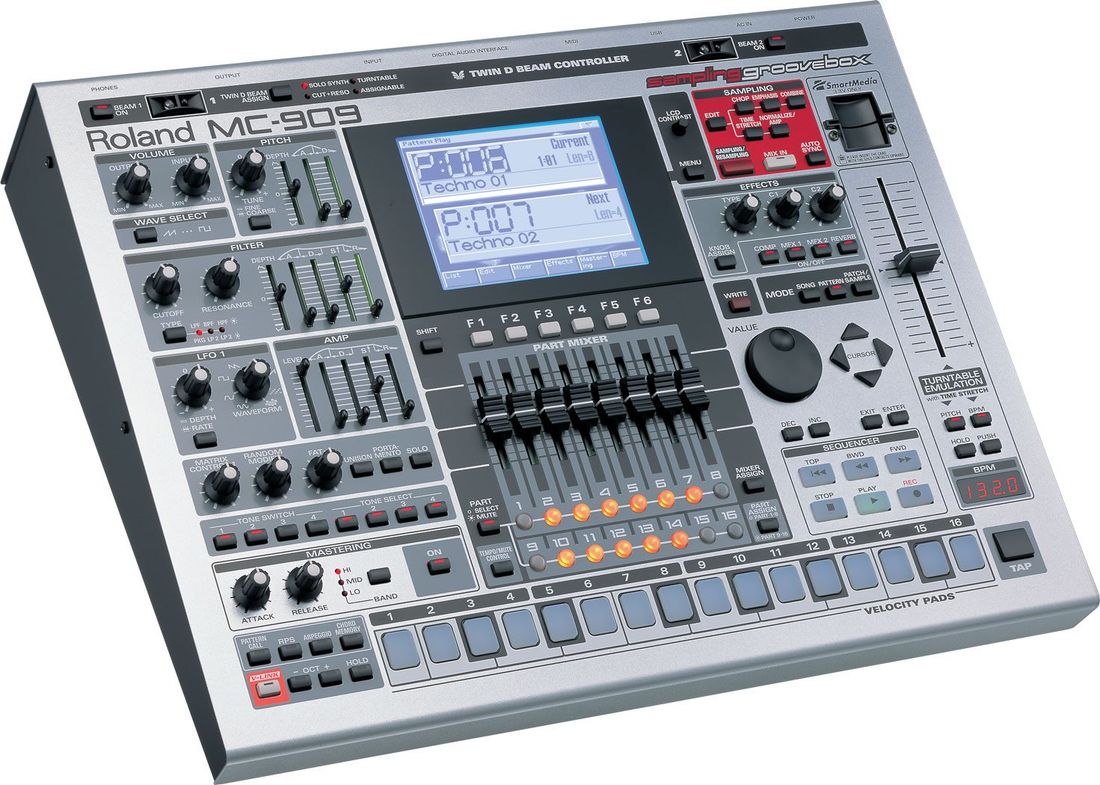
MC 909
Keyboards, drum samples, and a sampler all in one — the MC-909 complete production guide.
About The MC 909
The MC909. It's everything, keyboards, drum samples and a sampler, all in 1 cool machine. The MC909 is great for producing Hip-Hop, R&B, Club/House, and Drum & Bass. In this DVD you'll learn the front and how all the buttons work with the software on the MC909. We cover the back and which cables you'll use to hook it up and the best way to set it up in your home studio. Next we'll teach you how to make music with this all in one midi sequencer, ways to setup a pattern, how to play the keyboard like buttons to trigger a sample, how to select samples and change them, how to save the pattern, how to play the keyboard section, ways to manipulate sample sounds, and how to setup pattern parameters. You'll learn the best way to save and load your samples to your smart card. Next we explain how the sampler works, how to set it up, ways to get the best audio levels for sampling, setting up sample length and sampling.
In the Part 2 DVD, we continue with our sampler lessons, we teach you how to edit sample like cutting off the ends so you have the exact size of the sample you want, how to time compress a sample, this means ways to make a sample fit the speed (BPMs) you want, plus we teach how to chop samples up to make cool drum sounds, and how to place them in a program so you can trigger them and use them in a pattern. Next we teach you how make a song from several patterns how to mix the part ways to assign parts , how to add effects to parts and how to setup the MC909 to mix your parts in each sequence. Nex we want to edit our data to get our music track just right. Once you get every thing right we need to save our work in order to load it latter when we want to use it, so now we show what to save and where. Some times you may want to preparedata to be used on a computer that 's when you need to to export data and we show the best way to do this. After you finish with our DVD's you will work your MC909 like a Pro.