SAMPLEKINGS
Join $110.89 1 yr. MembershipYAMAHA MOTIF ES DVDs
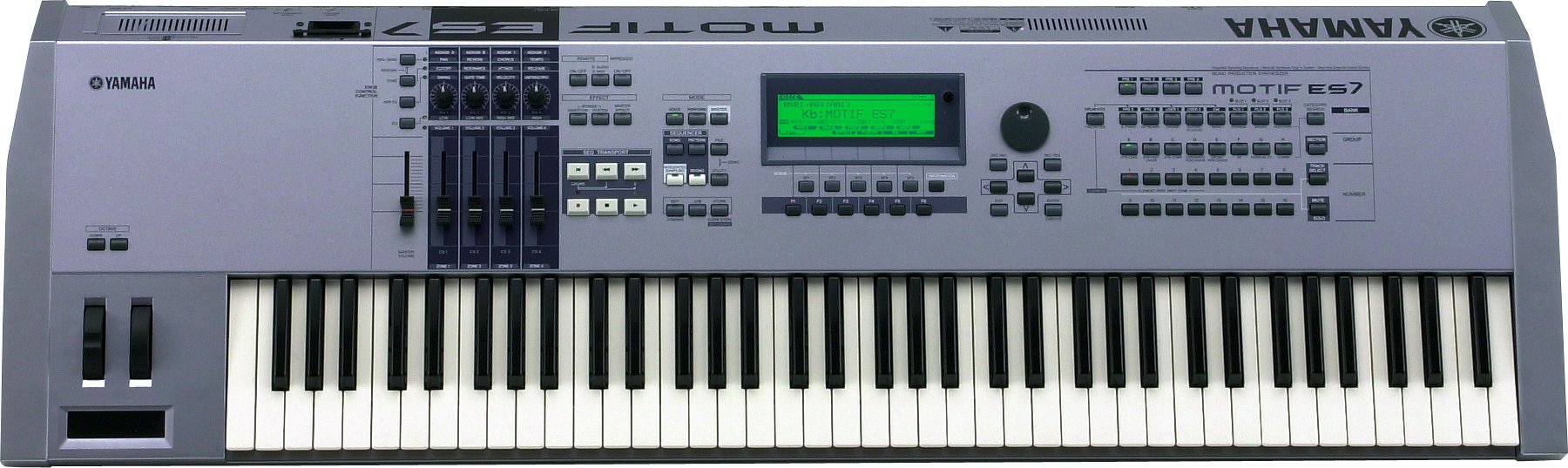
PDF Manual Download: MOTIF ES MANUAL
The Yamaha Motif ES is a great improvement on the the first Motif. In the DVD the first thing is set it up with cables, and get the inputs and outputs all going to the right systems. Once we have audio playback I set up the camera's on the front to show you how every button, knob, ribbon slider and fader works and while showing you all that I explain how they work with the software. This part requires your full attention and you may want play it back a few times to understand it fully. Once we finish with all the buttons, and there are a lot of them it's time to show you the sequencer section so we can start to make some music. First I explain beats and bars, sequence setup, quantize value or timing correction, and time signature. Now I pick an instrument so we go thru the process of finding instruments thru groups or just picking preset sounds, like some drums, then set the sequencer to record hit the right keys and start the Boom Bap to make the beat. Then I add some keys, a bass line, a guitar part, and some synth's and we got something. While doing the music we make sure that we mix the track at the same time so watch us carefully. It's the best way to make a track always mix it as you go along that way you learn how good or how bad it really sounds. We also add effects to any sound using the effect mode, like verb on the drums.
Next we show you how to sample with your Yamaha Motif, we setup the back with the right cables, get the CD player output to go into the Motif and we're good to go. It's important to watch our setup and check the levels that we sample at so be careful. Once we get the sample we view it on the screen and play it back to check the levels and the quality of the sample we record. As you watch this DVD you'll get a clear view of what we do and a clear understanding of what to do. Once you get the sample it's time to edit it so now we go to edit mode and set the keyboard note that we use to trigger the sample with and we set the range on the keyboard. Now I want to show you how to chop the sample so we can cut out what we don't need and keep what we do. Next we pull up our Mac computer and put some sounds on a compact flash card from our Pro Tools system, we create a wave file and put it on the card, then we import it in to our Motif. This is another way I like to use my computer and make samples for any session. Next I go into recording samples while the music is playing on the Motif in order to show you how cool this feature works I pull out a microphone and start to do some vocals, I sound pretty bad but it works for a demo just don't laugh to hard. We do all this to the beat that I made in the first DVD so it all makes sense. Once that's done we sync it all up, show more mixing features, and teach how and where to save your song data. When your done with this DVD your ready to take on the music world with this Phat machine.